WEB BUTTONS HOW TO'S
 |  |  |  |  |
 How To's
 Menus And Submenus In Javascript
- Css Menu Mouseover
- Proto Menu Sample
- Floating Menubar Css
- Javascript Menubar
- Vertical Flyout Menu Tutorial
- Floating Menu Bar
- Horizontal Menu Bar Dropdown
- Drop Down Menu Javascript
- Foldout Menu Css
- Html Code For Menu And Submenus
- Drop Down Submenu Code Javascript
- Joomla Folding Menus
- Create Drop Down Menu
- Horizontal Drop Down Menu Script
- Dine In Menu Templates
 Features
 Online Help
  FAQ
FAQ


 |  |
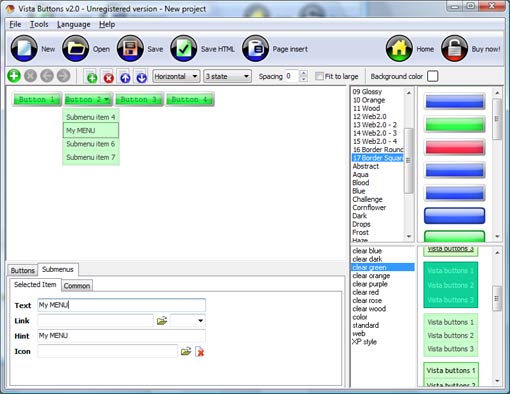
QUICK HELP
CASE MENU BASH
1) File menu Export images - to save menu buttons' images as gif-files (*.gif), png-files (*.png) or jpg-files (*.jpg). "Save As�" dialog will appear, where you can either type each button name or leave it unchanged. If you want to save the button images, press "Save". "Save settings" dialog will appear where you can choose image format. Either way (if you don't want the button images to be saved), press "Cancel". This procedure will be repeated for all the menu buttons. When you press "Save", 1 to 3 images are to be saved, depending on the menu type. Their names will be: ButtonName_0.gif - ButtonName_2.gif, where ButtonName is the name you have entered when saving. 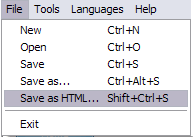
New - to create new project.
Open - to open saved project. You will be asked if you would like to save the current project in the menu buttons creator.
Save - to save current project in the project file (*.xwb). When you save to project file, the directory "ProjectName.xwb.icons" is created, where ProjectName is the name of your project file. This directory contains button icons, .css and .js files of the saved menu.
Save as� - to save current project in the project file (*.xwb) or in the HTML file or to save your project under another name. Choose type from the "File type" list in the "Save as�" dialog and enter project's (new) name. When you save to project file, the directory "ProjectName.xwb.icons" is created, where ProjectName is the name of your project file. This directory contains button icons, .css and .js files of the saved menu. If the menu doesn't have any icons then the directory is not created.
Save as HTML - to save current project into the HTML file (*.html). Project HTML file will be saved then, and the directory created, containing buttons' images. The directory name will be: "YourProjectName-files", where YourProjectName is the name of the HTML file saved. For example: if you enter "Header" in the "Name" field of the "Save as�" dialog, then "Header.html" and directory named "Header-files" will be created.
Exit - to close Vista buttons application.
2) Tools
Theme editor - to edit/create new themes.
Page insert - you can insert your menu into the existing HTML page.
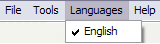
The "Languages" menu contains the list of available interface languages. English is the default language setting.
4) Help menu
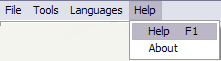
Help - to read the help.
About -show information about Vista Buttons.
DESCRIPTION
 |  |  |
Fully Customizable Css Menu Dynamic Collapse
Extended capabilities to save and export the results Css Javascript Disabled Visible
Drop Down Menü Für Icons Case Menu Bash Instant preview
| |  |
RELATED
MENU SAMPLES
XP Style Metallic - Web Design GraphicsTabs Style 1 - Buttons gifs
Absolute Positioned Left Menu Tabs Style 5 - Web Page Buttons
XP Style Blue - Button Image
Common Style 2 - Navigation Buttons
Tabs Style 6 - Buttons Design
Vista Style 9 - Toolbar Buttons
Collapsible Menus Html
Tabs Style 7 - Button Menu
SELECTED SAMPLE